SMS Marketing
March 21, 2026
TheSMSBox Team
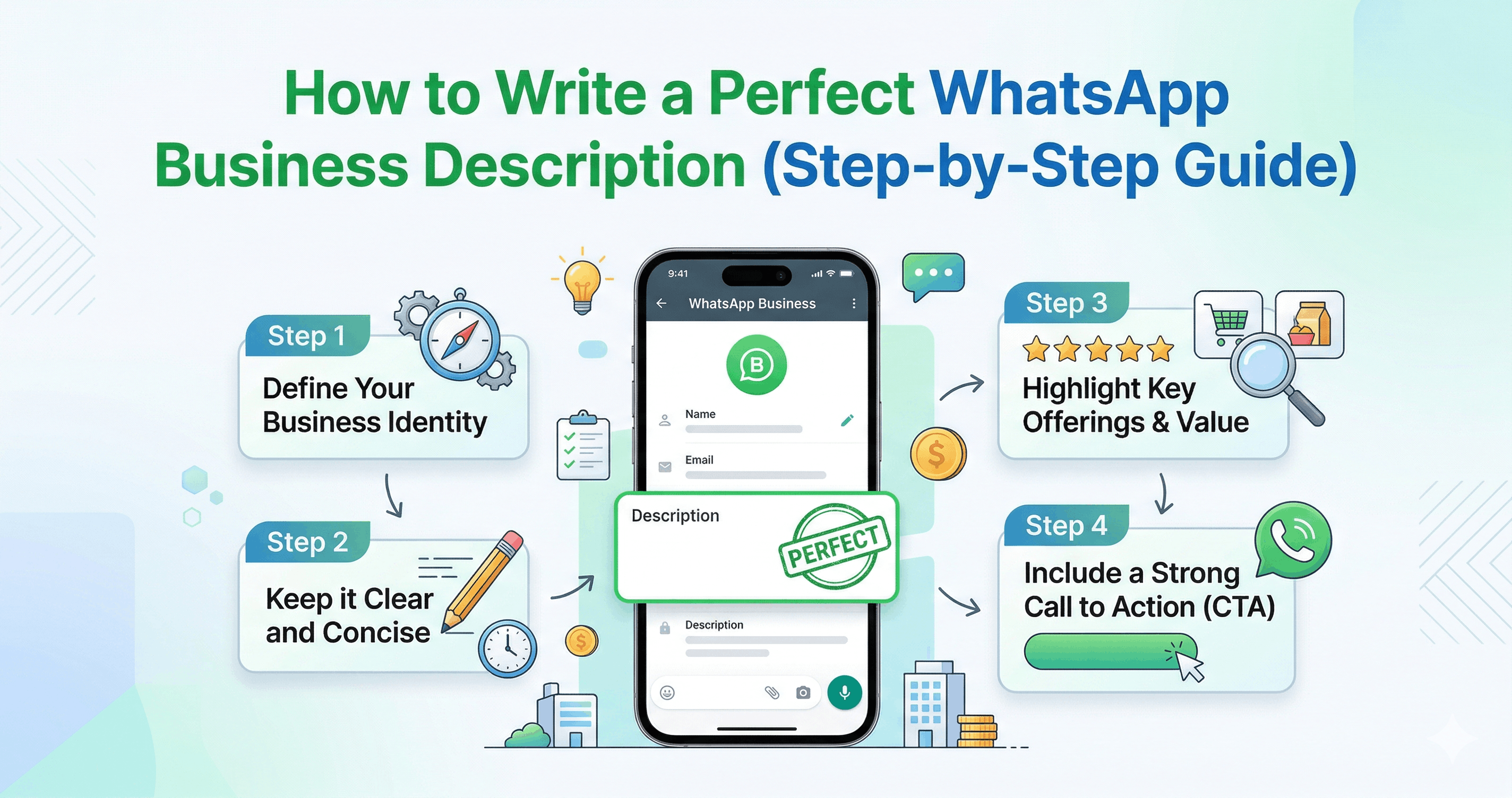
How to Write a Perfect WhatsApp Business Description (Step-by-Step Guide)
In today’s fast-paced digital world, businesses are constantly looking for smarter and more direct ways to connect with their customers. Among all communication platforms, WhatsApp Business has emerged as one of the most powerful tools for customer engagement, marketing, and sales. However, while many businesses create a WhatsApp Business profile, very few truly optimize one of its most important elements — the business description.
Your WhatsApp Business description is not just a few lines of text. It is your first impression, your brand identity, and often the deciding factor that influences whether a customer chooses to engage with you or not. A well-crafted description can build trust, communicate value, and drive conversions.
In this step-by-step guide, you will learn how to write a perfect WhatsApp Business description that is professional, engaging, and optimized for marketing success.
Why Your WhatsApp Business Description Matters
Before we dive into the process, it's important to understand why this small section holds such big importance.
Your business description:
Tells customers who you are and what you offer
Builds credibility and trust
Helps customers decide whether to contact you
Supports your WhatsApp marketing strategy
Enhances your overall brand image
Think of it as your mini sales pitch — short, clear, and impactful.
Step 1: Clearly Define Your Business Identity
Start by answering a simple question: What does your business do?
Avoid vague statements. Be specific and direct.
Example:
❌ “We provide the best services”
✅ “We offer digital marketing services including WhatsApp marketing, SEO, and social media management”
This clarity helps users immediately understand your business and its purpose.
Step 2: Highlight Your Key Products or Services
Once your identity is clear, mention your core offerings. Focus on what makes your business valuable to customers.
Keep it concise but informative.
Example:
Bulk WhatsApp Marketing
Automated Messaging Solutions
CRM Integration Services
If you offer multiple services, list only the most important ones to avoid clutter.
Step 3: Add a Unique Selling Proposition (USP)
Your USP is what makes your business different from competitors. This is where you grab attention.
Ask yourself:
Why should customers choose you?
What makes your service better or unique?
Example:
“100% Verified WhatsApp API Solutions”
“Affordable Plans for Small Businesses”
“24/7 Customer Support”
A strong USP increases trust and improves conversion rates.
Step 4: Keep It Short, Clear, and Professional
WhatsApp Business descriptions have a character limit, so every word matters.
Best Practices:
Use simple and clear language
Avoid unnecessary jargon
Keep sentences short
Maintain a professional tone
Ideal Length:
2–4 lines (maximum impact with minimum words)
Step 5: Include a Call-to-Action (CTA)
A great description doesn’t just inform — it encourages action.
Tell your customers what to do next.
Example CTAs:
“Contact us today for a free demo”
“Message us to grow your business”
“Start your WhatsApp marketing journey now”
A CTA can significantly increase engagement and response rates.
Step 6: Use Keywords for Better Visibility
Even though WhatsApp is not a search engine, using relevant keywords helps in branding and clarity.
For example, if your business focuses on WhatsApp marketing, include terms like:
WhatsApp Marketing
Bulk Messaging
Business Automation
This makes your profile more relevant and professional.
Step 7: Build Trust with Credibility Elements
Trust is crucial in online communication. Adding credibility elements can make a big difference.
Examples:
“Trusted by 500+ businesses”
“ISO Certified Services”
“Serving clients across India”
These small additions reassure customers and increase confidence.
Step 8: Add Contact or Availability Information
If relevant, include your working hours or response time.
Example:
“Available Mon–Sat | 10 AM – 7 PM”
This sets expectations and improves customer experience.
Step 9: Use Emojis Smartly (Optional)
Emojis can make your description visually appealing, but overuse can look unprofessional.
Best Use:
Highlight key points
Make text more readable
Example:
📈 WhatsApp Marketing Experts
💼 Business Automation Solutions
📞 Contact us for Demo
Use 2–4 emojis maximum to maintain balance.
Step 10: Test and Optimize Regularly
Your business evolves, and so should your description.
Keep updating it based on:
New services
Customer feedback
Marketing campaigns
Regular optimization ensures your profile stays relevant and effective.